

Generating an admission ticket for the zoo or aquarium
Dear employees,
To generate an admission ticket for the zoo or aquarium, please click on the link here.
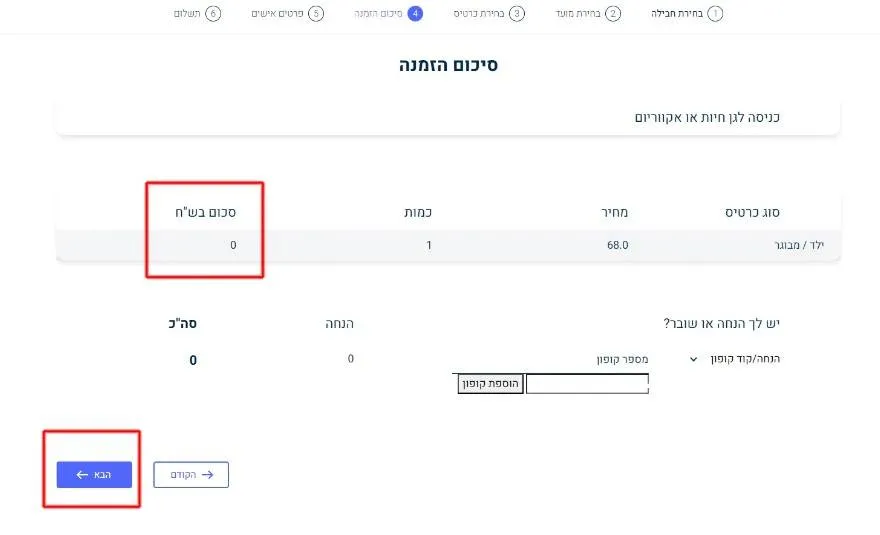
1. Each code is valid for one ticket only. Select one ticket in the quantity field and click "Next."

2. Select the discount/coupon code menu, choose "Coupon Code," enter the code in the box, and click "Add Coupon."

3. Note that the total amount will reset to zero. Click "Next."
4. Fill in your personal details. The ticket will be sent to your mobile phone and email. Please ensure your details are accurate.
Check the box to confirm you have read the terms and conditions and click "Order."

5. It is recommended to save your order number for tracking purposes. To make an additional purchase, click on "Click here for another purchase."

6. To generate an admission ticket for the zoo or aquarium, please click on the link here.
Enjoy your visit!